> ## Documentation Index
> Fetch the complete documentation index at: https://mcpjam-include-cli-start.mintlify.site/llms.txt
> Use this file to discover all available pages before exploring further.
# Multi-server connections
> Connect to multiple MCP servers with different transport methods
You can connect to MCP servers using all transports: STDIO, SSE, and Streamable HTTP. With OAuth 2 and Dynamic Client Registration (DCR) support.
## Manage connections
You can connect to multiple MCP servers simultaneously. To manage connections, go to the "MCP Servers" tab in the MCPJam inspector.
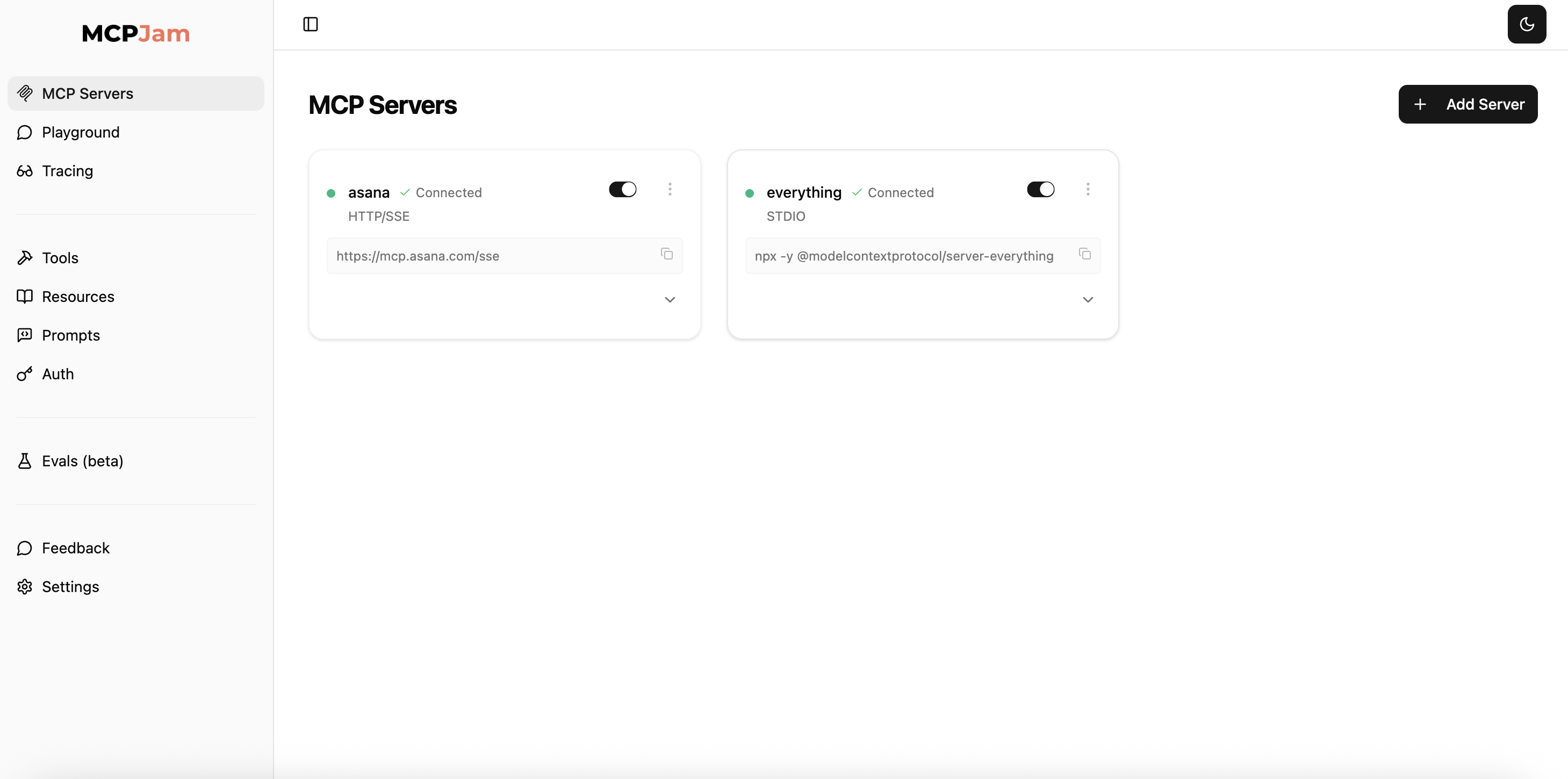 * Toggle MCP servers to enable or temporarily deactivate a server.
* Hit the 3 dots. You can reconnect, edit, or disconnect to a server.
## STDIO servers
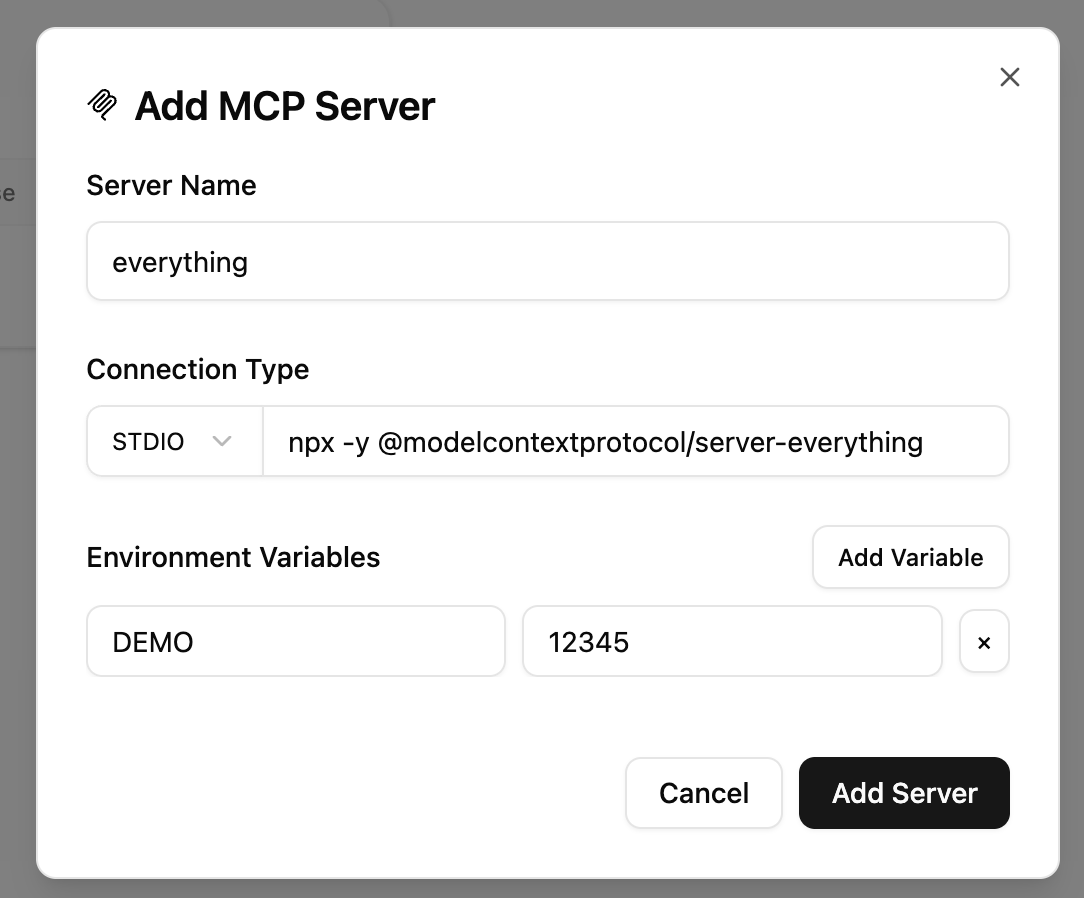
Connect to STDIO with commands. Commands vary based on what language your MCP server is built with. For example, connecting to an MCP server built with Node might look like:
```bash
node /path/to/your/server.js
```
For local development, always use absolute paths (e.g., `/Users/yourname/project/server.py`) to avoid path resolution issues.
* Toggle MCP servers to enable or temporarily deactivate a server.
* Hit the 3 dots. You can reconnect, edit, or disconnect to a server.
## STDIO servers
Connect to STDIO with commands. Commands vary based on what language your MCP server is built with. For example, connecting to an MCP server built with Node might look like:
```bash
node /path/to/your/server.js
```
For local development, always use absolute paths (e.g., `/Users/yourname/project/server.py`) to avoid path resolution issues.
 ### Environment variables
You can configure environment variables with STDIO. Click "Add Variable" in the Environment Variables section. This is often used to pass dynamic values like API tokens to a STDIO server.
## SSE / Streamable HTTP servers
Connect to SSE and Streamable HTTP servers. To do this, click the transport dropdown and select `SSE/HTTP`. They connect the same way: pass in a URL.
SSE server URLs typically end with `/sse` and Streamable HTTP servers typically end with `/mcp`.
### Environment variables
You can configure environment variables with STDIO. Click "Add Variable" in the Environment Variables section. This is often used to pass dynamic values like API tokens to a STDIO server.
## SSE / Streamable HTTP servers
Connect to SSE and Streamable HTTP servers. To do this, click the transport dropdown and select `SSE/HTTP`. They connect the same way: pass in a URL.
SSE server URLs typically end with `/sse` and Streamable HTTP servers typically end with `/mcp`.
 ### OAuth 2
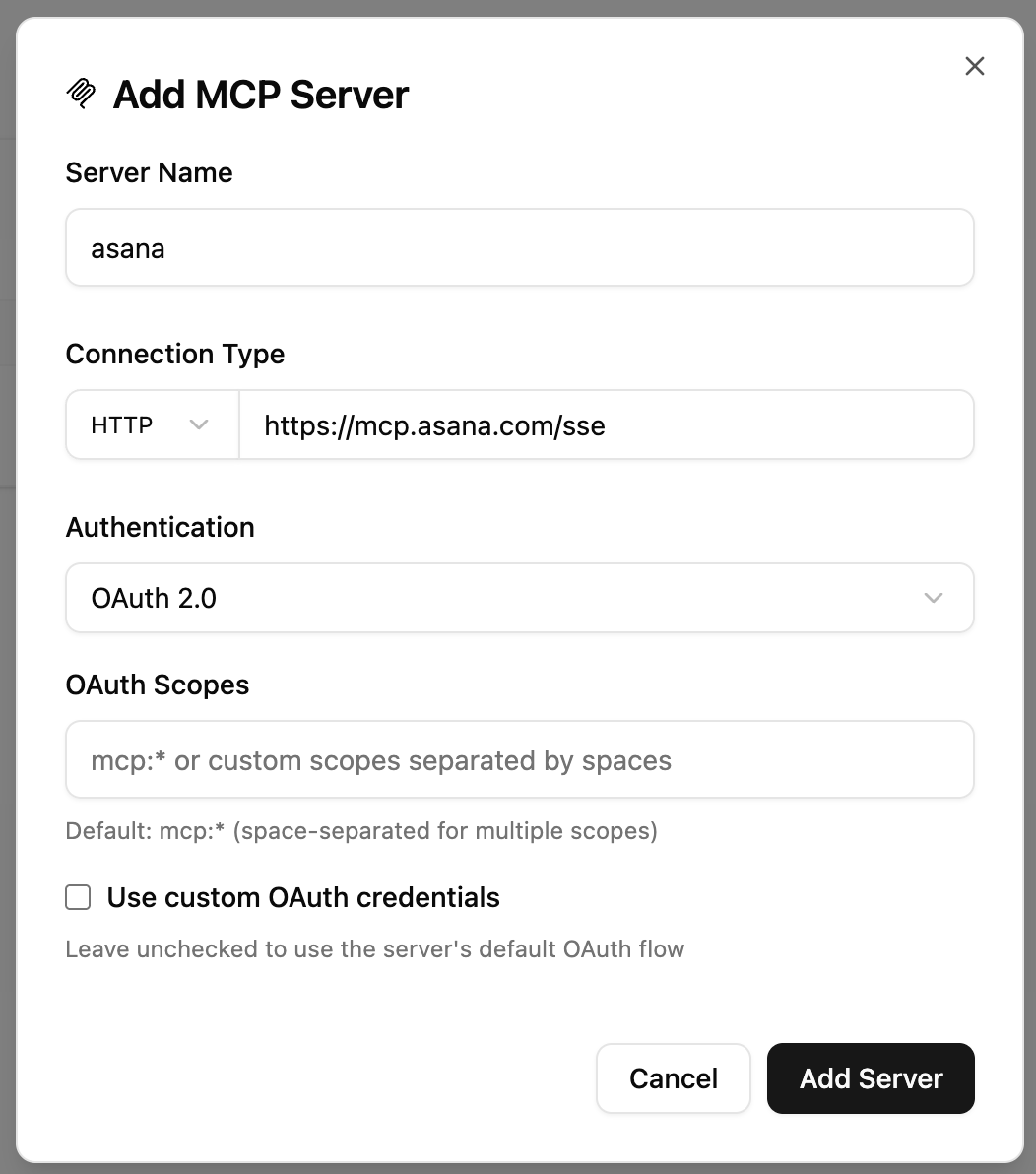
MCPJam is compliant with the MCP OAuth spec and Dynamic Client Registration (DCR). You can:
1. Choose `No Authentication`
2. Choose `Bearer Token`. Use this if you already have an API token and don't need to go through DCR.
3. Choose `OAuth 2.0`. This will take you through [MCP Authorization](https://modelcontextprotocol.io/specification/draft/basic/authorization) to fetch a bearer token. You can also configure OAuth Scopes or custom OAuth credentials.
### OAuth 2
MCPJam is compliant with the MCP OAuth spec and Dynamic Client Registration (DCR). You can:
1. Choose `No Authentication`
2. Choose `Bearer Token`. Use this if you already have an API token and don't need to go through DCR.
3. Choose `OAuth 2.0`. This will take you through [MCP Authorization](https://modelcontextprotocol.io/specification/draft/basic/authorization) to fetch a bearer token. You can also configure OAuth Scopes or custom OAuth credentials.